Turn documents into clean data.
Upload a photo, PDF, scan, or handwritten form — get structured data you can export to CSV or pull straight into your systems. No more manual data entry. No more copy-paste.
How it works
From paper to spreadsheet in three steps.
Define your schema
Point and click to describe the data you want — field names, types, and validation rules. No code required.
Upload your documents
PDFs, photos, scans, even handwriting. Drop in one file or a batch of hundreds, up to 50MB each.
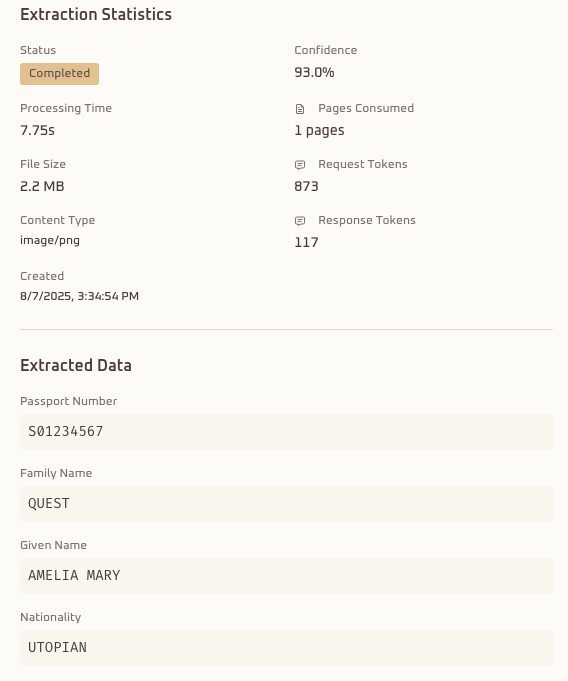
Get clean data
Structured results with a confidence score on every field. Export to CSV, JSON, or Excel — or pull it through the API.
Benchmarks
Accuracy you can verify.
Evaluated on public benchmark datasets with open-source evaluation code — not marketing numbers.
93.2%
Handwriting recognition
500 handwritten samples
98.2%
Form understanding
347 real receipts
99.9%
Financial amounts
SROIE2019 benchmark
96.3%
Date extraction
mixed formats
Use cases
Built for the documents you already have.
See how document extraction works across every document type.
Invoice processing
Automate invoice data capture for accounts payable.
Expense reports
Turn receipts into expense lines automatically.
Contract management
Pull key terms, dates, and clauses from legal documents.
ID verification
Extract data from IDs, passports, and KYC documents.
Insurance claims
Read handwritten clinical abstracts and claim forms without re-keying.
Bank statements
Extract transactions from financial statements.
Form digitization
Convert paper forms into digital records.
Handwritten forms
Read legible handwriting on applications and notes.
Fleet management
Automate service quotation extraction, synced by API into your fleet system.
Case management
Connect the evidence. Resolve the case.
Turn separate extractions into one reviewable record. Axia links related documents, triangulates shared fields, and routes the differences to the right reviewer.
- One case record for every application, claim, or audit packet.
- Cross-document checks for names, addresses, amounts, dates, and IDs.
- Confidence scores and rule results that make decisions traceable.
Example case
Loan application review
LOAN-DEMO-2026-00417
7
linked documents
5
rules passed
2
flags
Four-step workflow
From case setup to a reasoned decision.
Follow one case from its configuration through linked evidence, automated checks, and review.
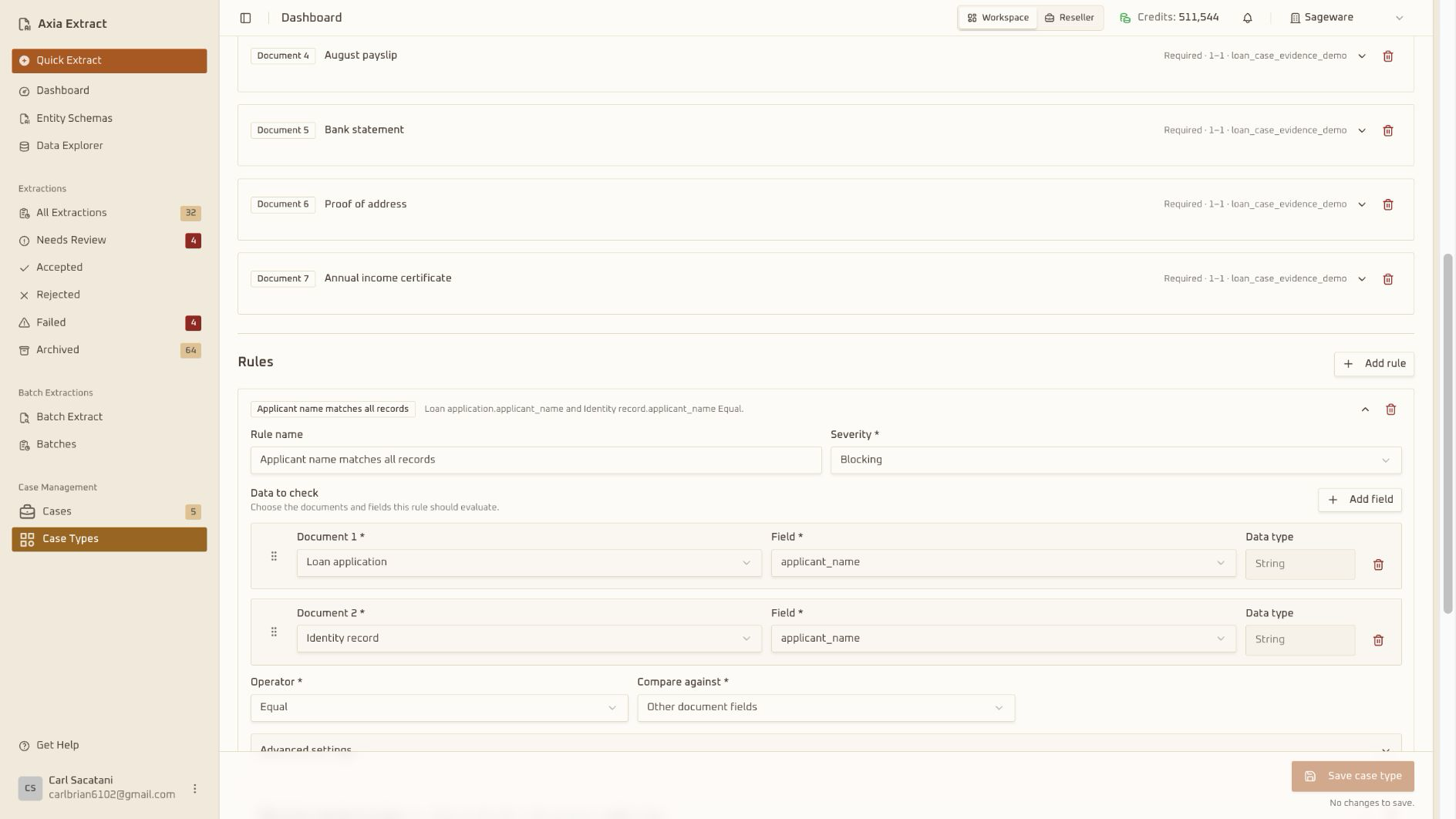 01
01Define the case type
Set required documents and rules for each case type.
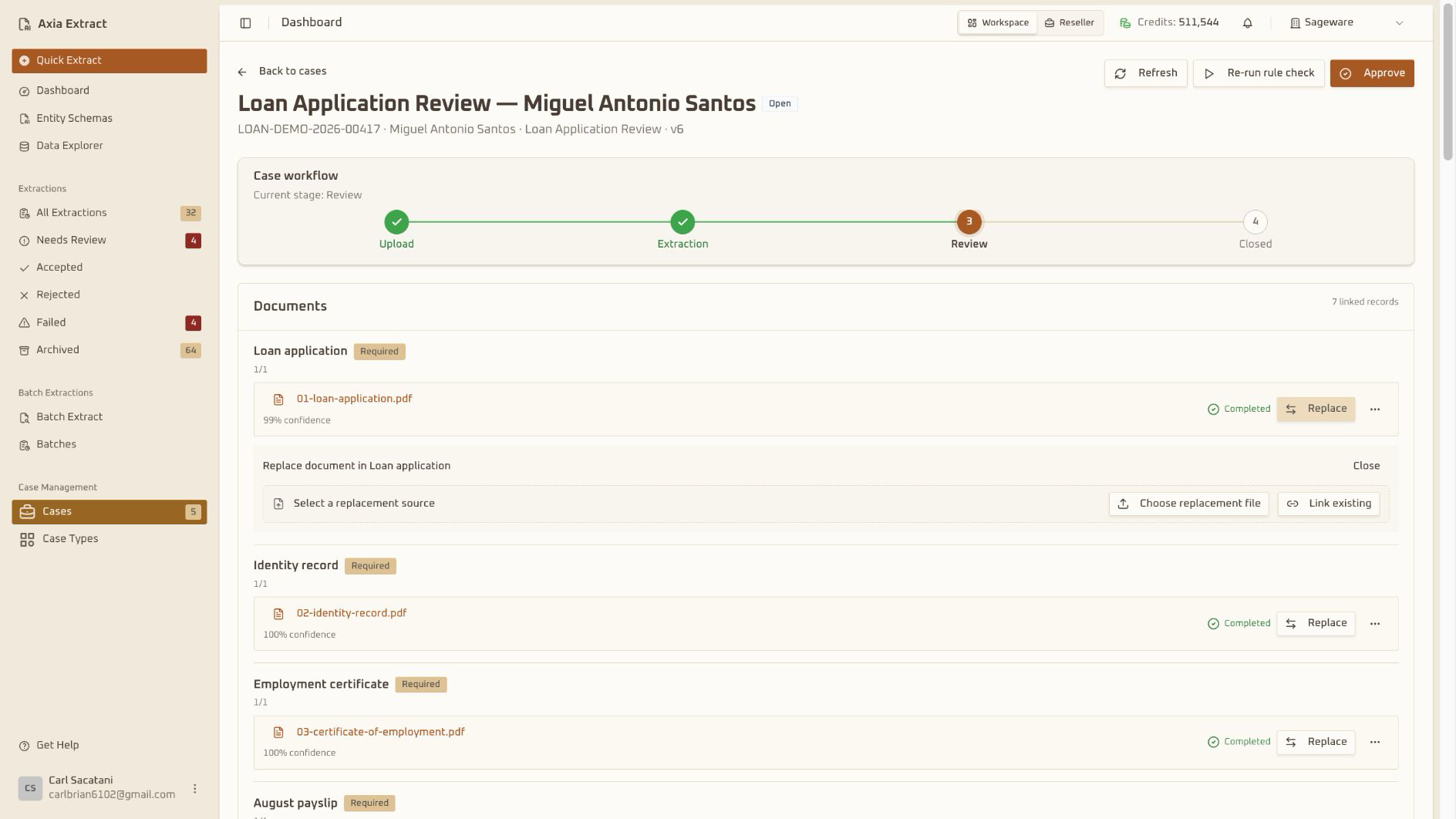 02
02Link the records
Create or select a case and attach its supporting records.
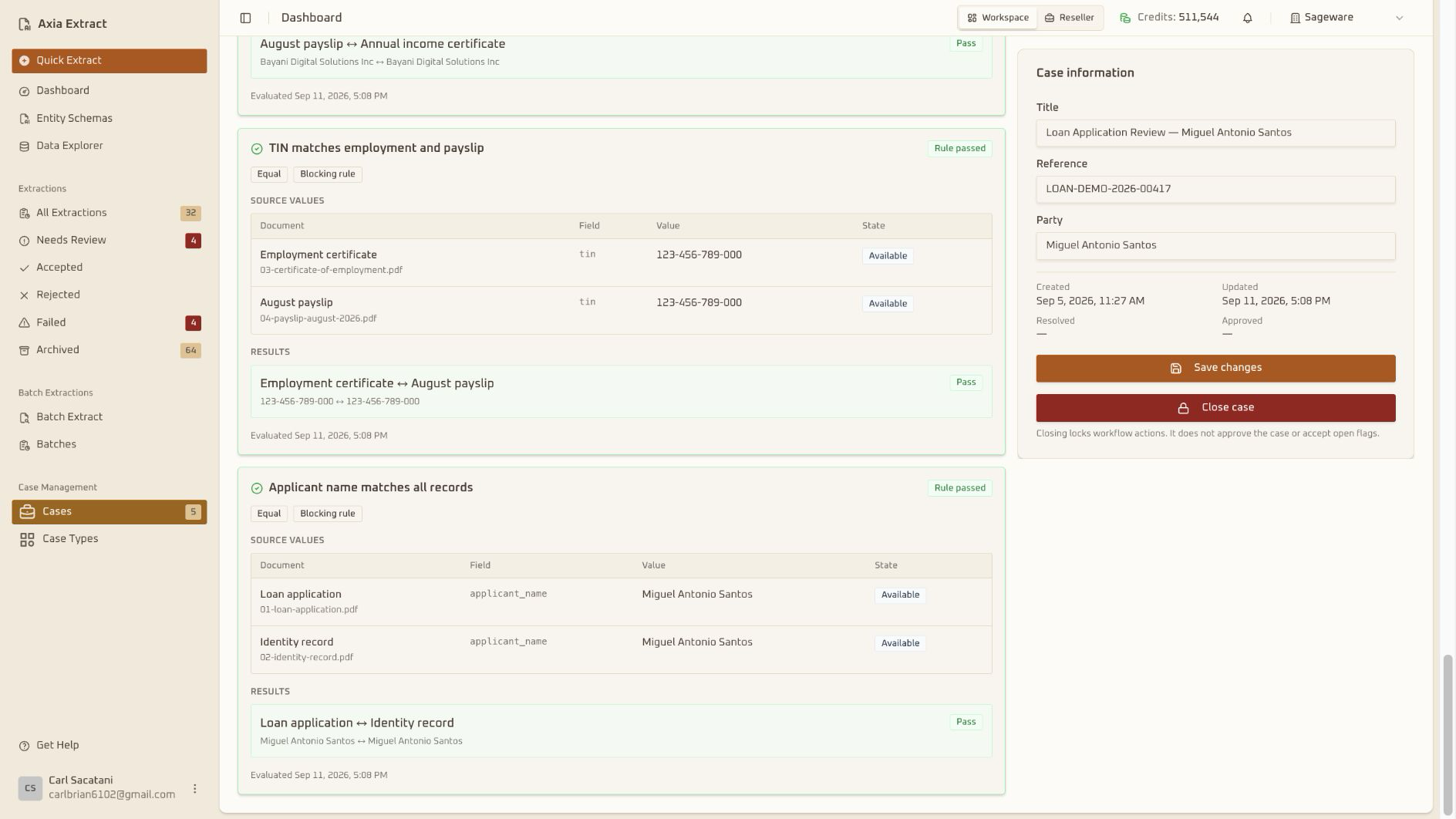 03
03Run dynamic rules
Compare fields across records and surface mismatches.
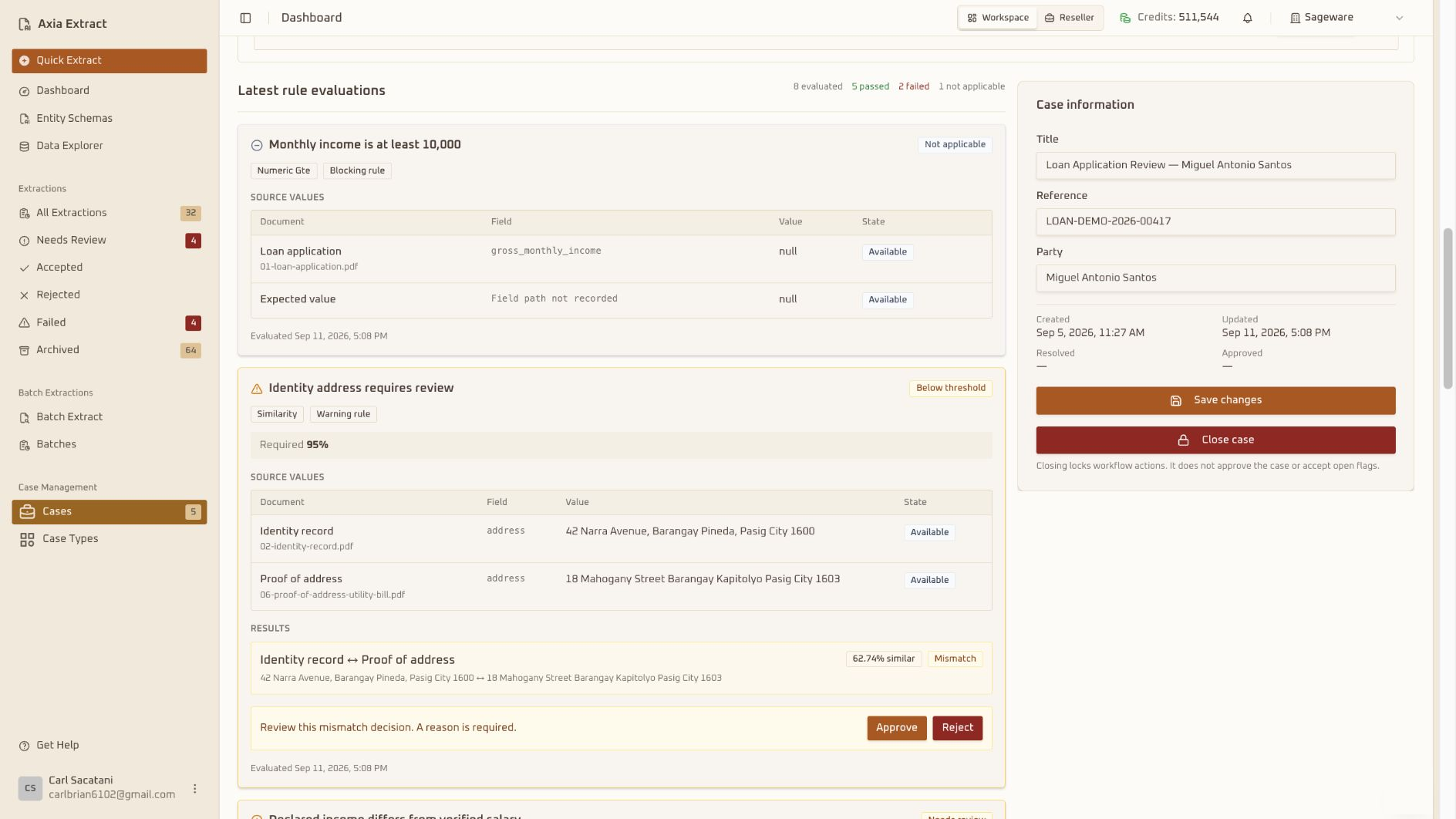 04
04Review and resolve
Review evidence, decide, and keep the audit trail.
Use cases
One workflow for high-stakes evidence.
Lending and KYC
Check identity, address, income, and bank records together before an application moves forward.
Insurance claims
Keep claim forms, policy records, estimates, and notes connected for faster, clearer review.
Audit and compliance
Compare evidence across periods, flag missing records, and give reviewers a complete trail.
Capabilities
Everything between upload and export.
Document processing
- Any format — PDFs, images (JPG, PNG, WebP, TIFF), text files
- Files up to 50MB, hundreds of documents per batch
- Handwriting recognition for legible forms and notes
- Automatic table detection and extraction
Schema builder
- Visual, point-and-click field definitions
- Text, numbers, dates, checkboxes, and lists
- Drag to reorder, edit anytime
- Auto-generate schema templates using AI
Quality assurance
- Confidence score on every extracted field
- Validation against your schema, automatically
- Clear error reporting when something goes wrong
- Human review for uncertain extractions
Export & integration
- One-click export to CSV, JSON, and Excel
- REST API for your existing systems
- Webhooks when processing completes
- Real-time batch progress tracking
Product
A closer look.
A no-code dashboard for your team, and a REST API with webhooks for your developers — same engine underneath.
Document upload
Drag-and-drop batch uploads with real-time progress and file validation.
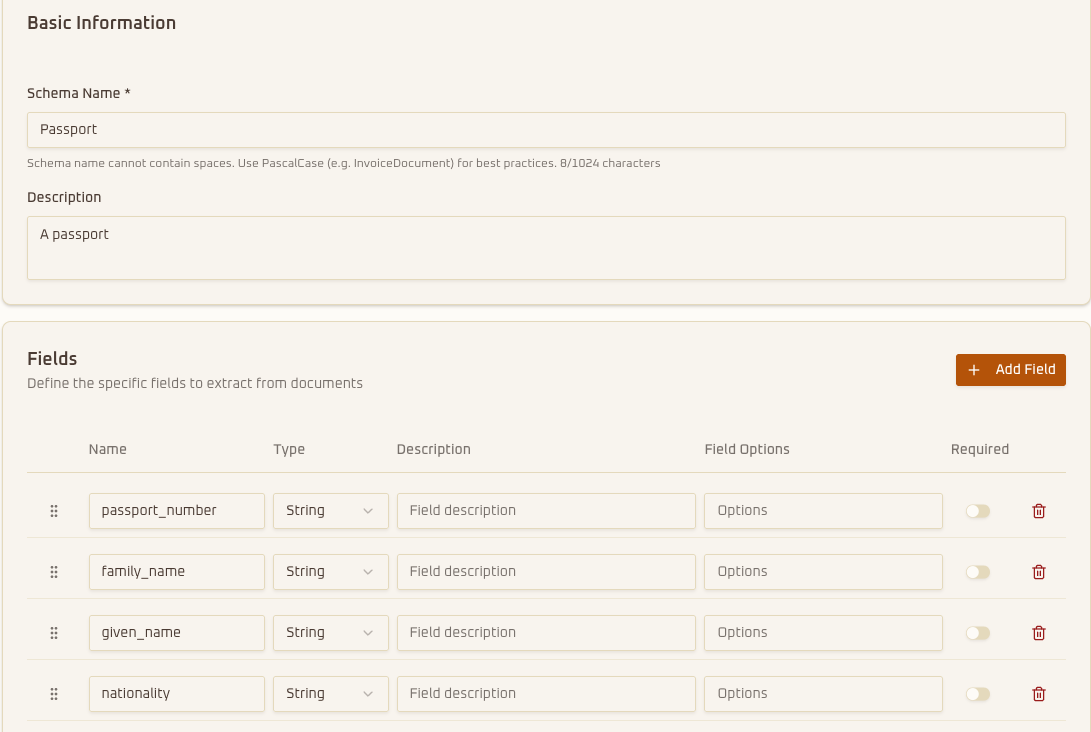
Visual schema builder
Define complex data structures and validation rules without writing code.
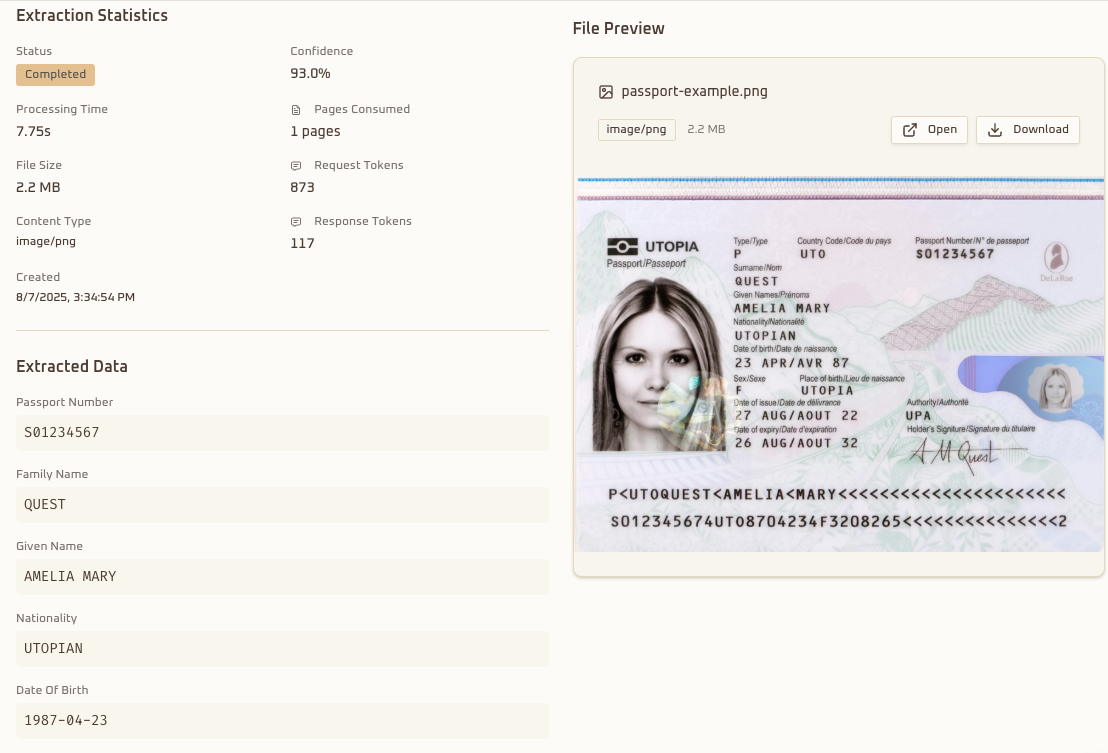
Extraction results
Review extracted data with confidence scores before exporting.
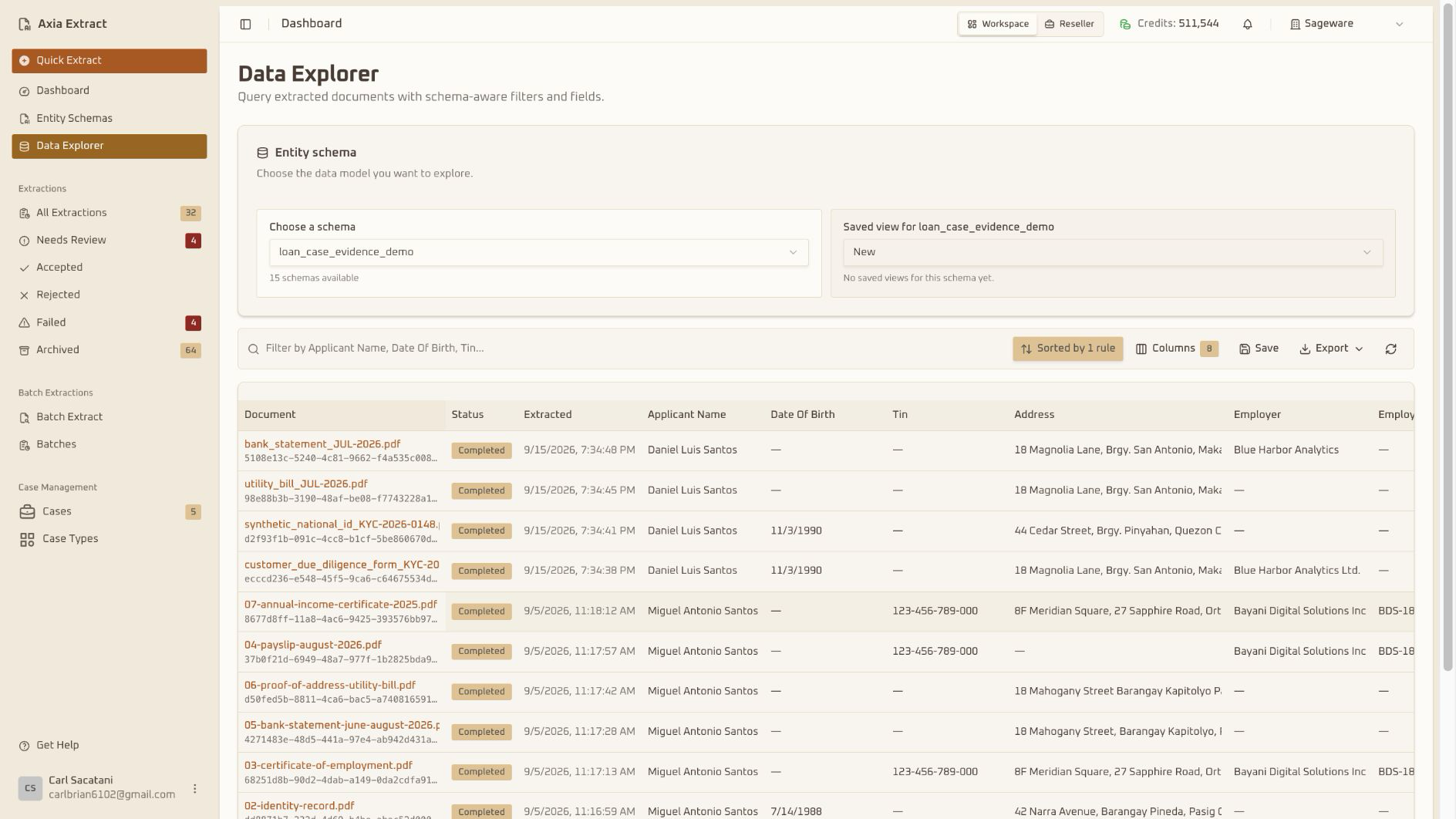
Data Explorer
Query extracted documents with schema-aware filters and fields.
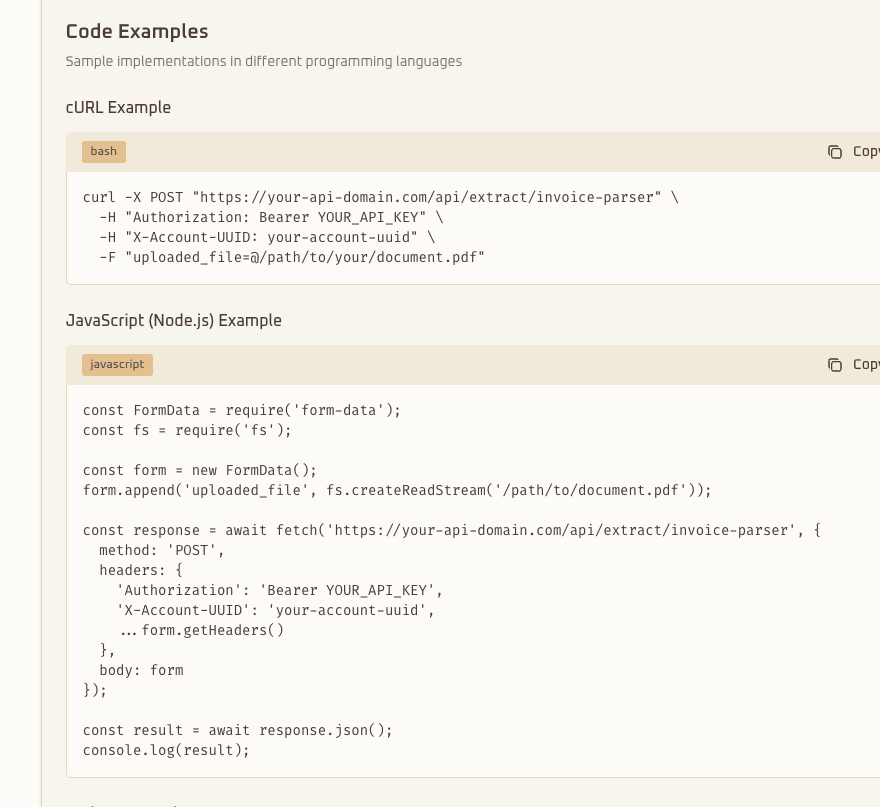
API documentation
Interactive REST API docs with code samples and webhook guides.
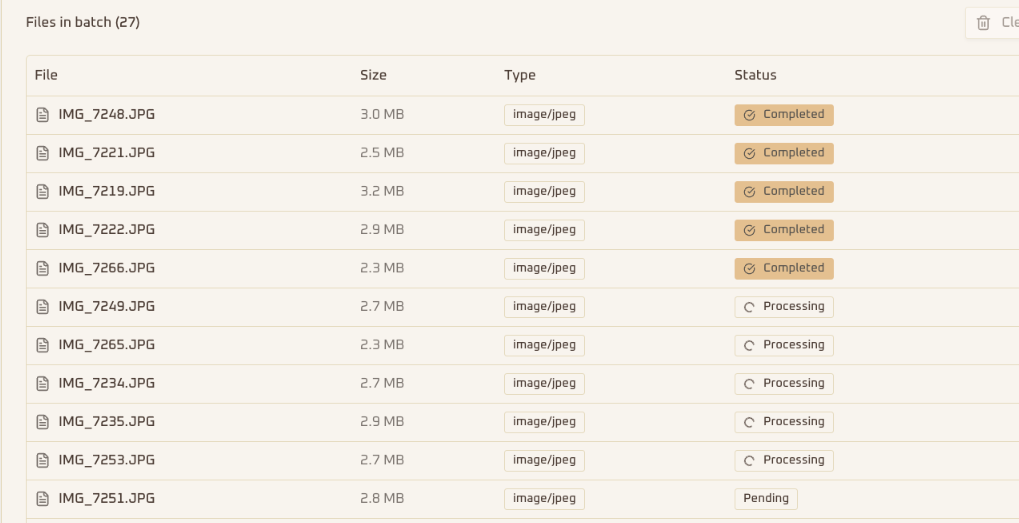
Batch processing
Queue management, automatic retries, and status reporting at scale.
For developers
An API when you're ready to integrate.
Send documents programmatically, process hundreds at a time, and get a webhook the moment results are ready. Interactive docs and examples included.
- REST API with full documentation
- Bulk processing for large batches
- Webhooks for real-time notifications
$ curl https://api.axiaextract.com/v1/extractions \
    -H "Authorization: Bearer $API_KEY" \
    -F document=@invoice.pdf \
    -F schema_id=inv_schema_01

{
  "status": "completed",
  "fields": {
    "vendor":     { "value": "Acme Supply Co.",
                    "confidence": 0.99 },
    "invoice_no": { "value": "INV-2041",
                    "confidence": 0.98 },
    "total":      { "value": 1249.50,
                    "confidence": 0.97 }
  }
}
Parallel processing
Multiple documents at once
Smart retry
Failed extractions retry automatically
Progress tracking
Real-time status updates
Table detection
Finds and extracts tables
High accuracy
Confidence scores on every field
Stop typing data out of documents.
Upload your first document and get clean, structured data back in minutes.
AI document extraction for every document type.
Axia Extract is an AI document extraction platform built on Intelligent Document Processing (IDP) and Optical Character Recognition (OCR). As a document extraction tool, it reads invoices, forms, IDs, and scans, then returns structured, spreadsheet-ready data instead of a wall of unstructured text — no templates to configure and no manual data entry.
Most teams reach for Axia Extract to run invoice processing automation. Point it at a folder of PDFs, photos, or scans and get automated invoice processing that pulls vendor names, line items, totals, and due dates, each scored with its own confidence level. As invoice extraction software, Axia Extract handles the inconsistent layouts that break traditional OCR software — no two vendors format an invoice the same way, and this AI-powered invoice extraction engine doesn't need them to.
Invoice data extraction is one use case among many. The same AI document extraction engine turns expense receipts into clean expense-report lines, pulls key terms and dates out of contracts for contract management, verifies names, ID numbers, and expiry dates for ID verification, and reads policy numbers and claim amounts for insurance claims. Finance teams run it against bank statements to capture transactions and balances, while operations teams use it for form digitization and for handwritten forms — legible or messy — with the same document data extraction accuracy and confidence scoring on every field.
Every document type runs through the same pipeline: a point-and-click schema builder, AI-powered OCR extraction, and export to CSV, JSON, or Excel — or straight through the API. Whether the job is a one-off document extraction tool task or a production-grade invoice processing automation pipeline processing thousands of pages a month, Axia Extract reads each document once and gets the data right.