AI Document Extraction.
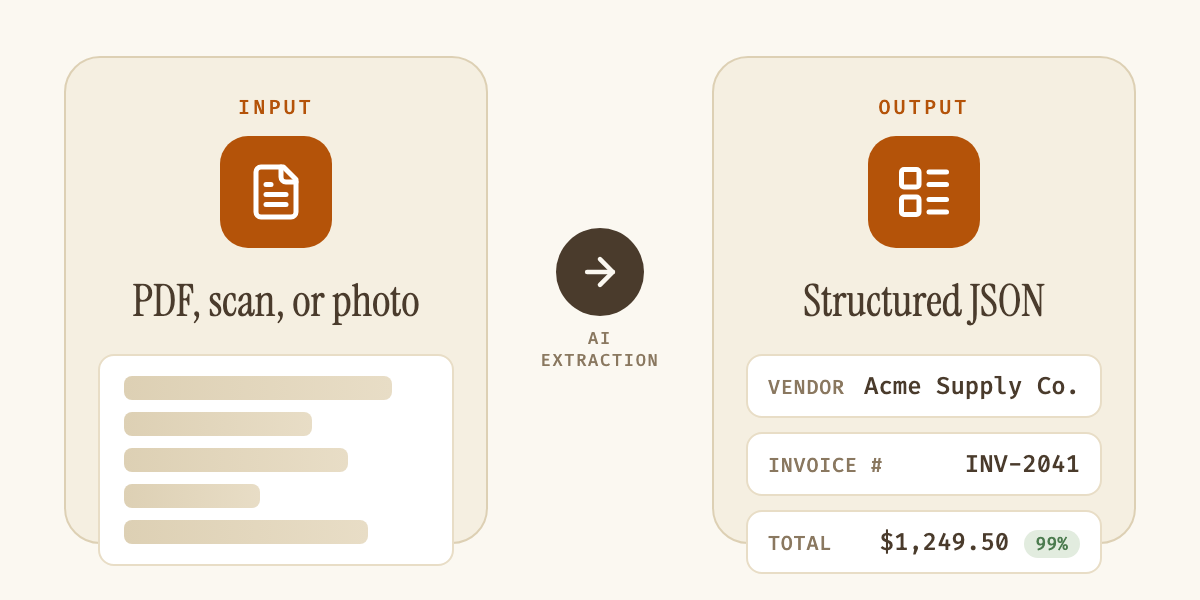
Document extraction pulls structured data out of any PDF, scan, or photo — no manual entry, no per-format templates. Axia Extract reads invoices, contracts, IDs, and handwritten forms alike, and returns every field with a confidence score.
One tool, every document type
Built for more than just invoices.
Invoice processing
Expense reports
Contract management
ID verification
Insurance claims
Bank statements
Form digitization
Handwritten forms
Fleet management
How it works
From paper to spreadsheet, in three steps.
Define your schema
Point and click to describe the data you want — field names, types, and validation rules. No code required.
Upload your documents
PDFs, photos, scans, even handwriting. Drop in one file or a batch of hundreds, up to 50MB each.
Get clean data
Structured results with a confidence score on every field. Export to CSV, JSON, or Excel — or pull it through the API.
Traditional OCR vs. AI
Template OCR vs. Axia Extract.
| Template OCR | Axia Extract | |
|---|---|---|
| Setup per document layout | ||
| Handles new formats automatically | ||
| Reads handwritten documents | ||
| Confidence score per field | ||
| Works across document types (not just one) | ||
| REST API + CSV/JSON/Excel export | Varies |
Benchmarked accuracy
98.2% field accuracy, 93.2% on handwriting.
98.2%
Average field accuracy
99.9%
Financial totals
93.2%
Handwritten fields
Benchmarked on public datasets — SROIE2019 for form understanding, a 500-sample Kaggle set for handwriting — with full methodology published openly.
See the full accuracy reportFAQ
Document extraction, answered.
What is document extraction?
What document types does Axia Extract support?
Do I need a different tool for each document type?
How accurate is AI document extraction?
How is data exported?
Stop typing data out of documents.
Upload your first document and get clean, structured data back in minutes.
AI document extraction for every document type.
Document extraction is the process of turning an unstructured document — a PDF, a scanned image, a photographed form — into structured data a computer can use. Axia Extract does this with AI document extraction built on Intelligent Document Processing (IDP) and Optical Character Recognition (OCR), reading a document once and returning exactly the fields defined in a schema, each scored for confidence.
| Document type | Fields extracted |
|---|---|
| Invoices | Vendor, invoice number, line items, subtotal, tax, total |
| Expense receipts | Merchant, date, line items, total |
| Contracts | Parties, effective date, term, renewal clause |
| ID documents | Name, ID number, expiry date |
| Insurance claims | Claim number, policy number, loss date, amount |
| Bank statements | Account number, statement period, opening/closing balance, transactions |
| Purchase orders | PO number, vendor, line items, total |
| Shipping documents | Bill of lading number, consignee, weight |
| Service quotations | Parts, labor, total |
The reason document extraction software matters is that most business documents aren't standardized. An invoice from one vendor looks nothing like an invoice from another; a contract from one law firm is formatted differently from the next; a handwritten intake form varies clerk to clerk. Legacy OCR software depends on a fixed template per document type and breaks whenever that layout shifts. Axia Extract's AI-powered document extraction reads document structure directly, which is what makes a single tool usable across invoice processing, expense reports, contract management, ID verification, insurance claims, bank statements, form digitization, handwritten forms, and fleet management — nine distinct use cases running through one extraction engine instead of nine separate tools.
For invoice processing and expense reports, that means vendor names, line items, totals, and receipt amounts come back structured and ready for accounts payable, without a template per vendor. For contract management, the same document data extraction approach pulls key terms, effective dates, and renewal clauses out of legal documents. ID verification uses it to read names, ID numbers, and expiry dates off government-issued documents for KYC and onboarding workflows, while insurance teams apply the identical schema-driven extraction to claim forms and clinical abstracts, policy numbers, claimant details, diagnosis notes, and claim amounts, instead of re-keying each submission by hand. Finance teams run bank statements through the same pipeline to capture transactions and balances, procurement teams apply it to purchase orders, and operations teams use it for general form digitization, converting paper intake forms into digital records. Fleet operators use the same schema approach on service quotations and shipping documents, pulling line items and totals out of a workshop's PDF and syncing them straight into the fleet management system through the REST API, instead of a coordinator retyping each quote by hand.
Handwritten forms deserve a specific mention, because most document extraction software simply can't read them. Axia Extract's OCR-based document extraction handles legible handwriting with the same schema and confidence scoring used everywhere else, benchmarked at 93.2% accuracy on a 500-sample handwriting dataset, detailed on the accuracy page and a number most document extraction tools don't even attempt to publish. Insurance claims lean on this most heavily: clinical abstracts are handwritten far more often than invoices or bank statements are, and a tool that only handles typed text is of little use to a claims team. Our guide to traditional OCR vs AI OCR covers why that gap exists.
Every document type shares the same three-step workflow: define a schema once for that document type, upload documents in whatever format they arrive in, PDF, JPG, PNG, scan, or photo, up to 50MB each, and receive structured, confidence-scored data back in seconds. Output exports to CSV, JSON, or Excel, or integrates through a REST API with webhook support for automated downstream processing. For teams evaluating AI document extraction across more than one document type, the practical test is running a real sample of each, an invoice, a form, a scanned ID, through the same schema builder and comparing the confidence scores against what a person would key in by hand.