Invoice Extraction Software.
Invoice extraction software reads invoices and pulls out structured data — vendor, line items, totals — without a template for every vendor. Axia Extract uses AI-powered OCR built for accuracy, so new invoice formats work on the first try.
How it works
From invoice to structured data, in three steps.
Define your schema
Point and click to describe the fields you want — vendor, invoice number, line items, totals. No code required.
Upload your invoices
PDFs, photos, scans, even handwriting. Drop in one file or a batch of hundreds, up to 50MB each.
Get clean data
Structured results with a confidence score on every field. Export to CSV, JSON, or Excel — or pull it through the API.
Buyer's comparison
Template-based OCR vs. Axia Extract.
| Template OCR | Axia Extract | |
|---|---|---|
| Setup per vendor template | ||
| Reads new invoice layouts automatically | ||
| Breaks on layout changes | ||
| Reads handwritten invoices | ||
| Confidence score per field | ||
| REST API + CSV/JSON/Excel export | Varies |
Benchmarked accuracy
98.2% field accuracy, 99.9% on totals.
98.2%
Average field accuracy
99.9%
Financial totals
Benchmarked against SROIE2019, a public dataset of 347 real-world receipts, with per-field results published openly.
See the full accuracy reportFAQ
Invoice extraction software, answered.
What is invoice extraction software?
How is Axia Extract different from template-based OCR?
What data can invoice extraction software pull from an invoice?
Does it integrate with accounting or ERP systems?
Is there a free trial?
See it read your invoices.
Upload a real invoice and get clean, structured data back in seconds — no template required.
Invoice extraction software that doesn't need a template.
Invoice extraction software exists to solve one specific problem: getting structured data — vendor, line items, totals — out of an invoice document without a person typing it in by hand. Axia Extract is invoice extraction software built around AI rather than fixed templates, which is the detail that decides whether the tool actually works once it leaves a sales demo and meets a real, messy invoice inbox.
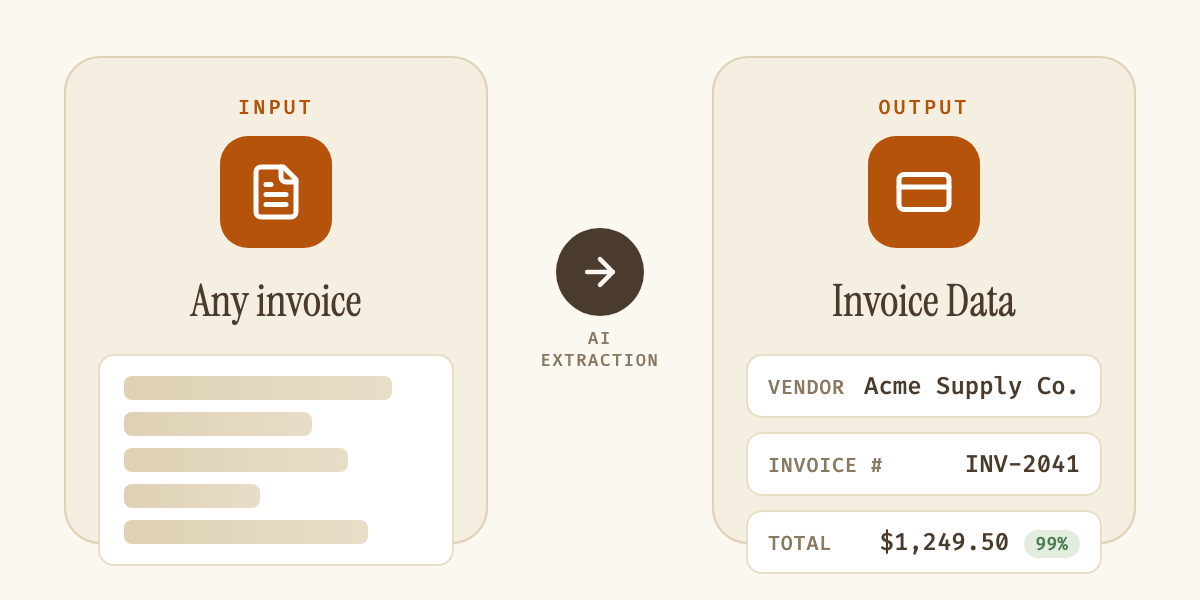
| Field | Example value |
|---|---|
| Vendor name | Acme Supply Co. |
| Invoice number | INV-2041 |
| Issue / due date | 2026-08-14 / 2026-09-13 |
| Line items | Quantity, description, unit price |
| Subtotal / tax | $1,150.00 / $99.50 |
| Total | $1,249.50 |
Most invoice extraction software on the market is really template-based OCR wearing an AI label. It works well on the exact invoice layout it was configured for, and breaks — silently or loudly — the moment a vendor changes their logo placement, adds a new line-item column, or switches invoice software. Axia Extract takes a different approach: instead of matching a document against a stored template, the extraction engine reads the structure of each invoice directly, using AI trained to recognize invoice fields regardless of layout. That's what makes it invoice processing automation rather than invoice automation for one specific vendor's format, a distinction our traditional OCR vs AI OCR guide covers in more depth.
Setup reflects that difference. Traditional invoice extraction software demands a template-building phase — mapping coordinates, testing against sample invoices, and re-testing every time a format shifts. With Axia Extract, setup is a point-and-click schema: define the fields you want (vendor name, invoice number, issue date, due date, line items, subtotal, tax, total) once, and the AI applies that schema to any invoice format from that point forward, typed or handwritten.
Buyers comparing invoice extraction software should look past the demo and ask about accuracy on messy, real-world documents, not just clean sample PDFs. Axia Extract publishes its benchmark numbers openly: 98.2% average field accuracy and 99.9% accuracy on financial totals, tested against SROIE2019, a public dataset of 347 real receipts with mixed formatting and print quality and detailed on the accuracy page. Every extracted field also returns its own confidence score, so a low-confidence line item can be flagged for review instead of silently accepted as correct, a detail most invoice extraction software skips entirely. See how that stacks up against a specific competitor on our Axia Extract vs Docparser comparison.
Output flexibility matters just as much as extraction accuracy. Axia Extract exports structured invoice data to CSV, JSON, or Excel, or integrates directly through a REST API into an existing accounts payable, ERP, or accounting system, with webhook notifications when a batch completes. The same schema-first engine also handles purchase orders for teams running three-way matching. Whether the buying criteria are accuracy, setup time, format flexibility, or integration options, the fastest way to evaluate invoice extraction software is to test it against actual invoices from actual vendors, which is exactly what a demo with Axia Extract does.