Invoice Processing Automation.
Invoice processing automation reads invoices and turns them into structured data automatically — no manual entry, no per-vendor templates. Axia Extract pulls vendor names, line items, totals, and due dates from any invoice format and scores every field for confidence.
How it works
From invoice to clean data, in three steps.
Define your invoice schema
Point and click to describe the fields you want — vendor, invoice number, line items, totals, due date. No code required.
Upload your invoices
PDFs, photos, scans, even handwritten invoices. Drop in one file or a batch of hundreds, up to 50MB each.
Get clean, structured invoice data
Every field comes back with a confidence score. Export to CSV, JSON, or Excel — or pull it through the API.
Manual vs. automated
Manual invoice processing vs. automation.
| Manual | Axia Extract | |
|---|---|---|
| Time per invoice | 5–10 minutes | Seconds |
| Per-vendor templates required | ||
| Handles new invoice formats automatically | ||
| Reads handwritten invoices | ||
| Confidence score per field | ||
| Scales to thousands of invoices |
Benchmarked accuracy
98.2% field accuracy, 99.9% on totals.
98.2%
Average field accuracy
99.9%
Financial totals
Benchmarked against SROIE2019, a public dataset of 347 real-world receipts, with per-field results published openly.
See the full accuracy reportFAQ
Invoice processing automation, answered.
What is invoice processing automation?
How accurate is AI invoice processing automation?
Does automated invoice processing work with any invoice format?
Can it handle handwritten invoices?
How do I get started?
Stop typing invoice data by hand.
Upload your first invoice and get clean, structured data back in seconds.
Invoice processing automation, built for how AP teams actually work.
Invoice processing automation is the use of AI to read invoices and convert them into structured, usable data without manual entry. Axia Extract applies AI-powered invoice processing automation to PDFs, scans, and photos, pulling vendor names, invoice numbers, line items, subtotals, tax, and totals in seconds rather than the five to ten minutes a person spends keying each one by hand.
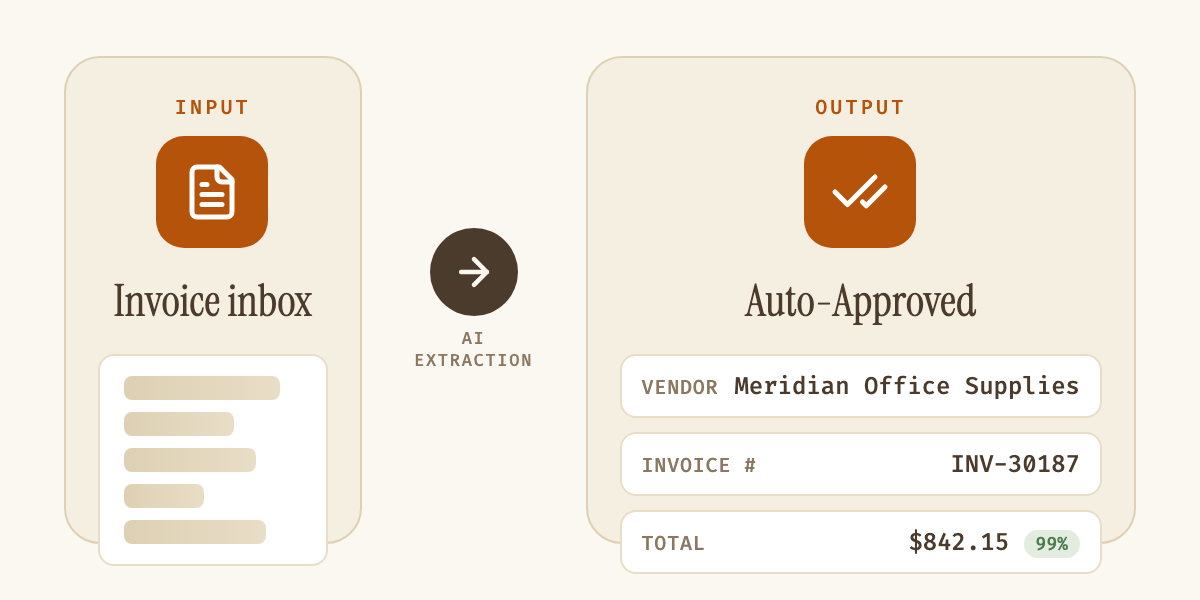
| Step | Manual process | With Axia Extract |
|---|---|---|
| Receive invoice | Opened from email or mail | Uploaded or forwarded to a schema |
| Key vendor & totals | Typed by an AP clerk | Extracted automatically |
| Check accuracy | Re-read against the source document | Confidence score per field |
| Approve | Manual sign-off on every invoice | Auto-approve high confidence, route the rest |
| Post to accounting | Manually entered | Synced via the REST API |
Most accounts payable teams start looking for invoice processing automation software because manual entry doesn't scale. A single AP clerk can process a few dozen invoices a day by hand; automated invoice processing removes that ceiling entirely, running through hundreds of invoices in a batch with the same accuracy on invoice number four hundred as on invoice number one. Because Axia Extract is built on Intelligent Document Processing (IDP) rather than rigid template matching, it doesn't need a pre-configured layout for every vendor. Traditional OCR software breaks the moment a vendor redesigns their invoice; AI invoice processing automation reads the structure of the document itself, so a new format works the first time it's uploaded.
Accuracy is the real test of any automated invoice processing tool, which is why every field Axia Extract returns comes with its own confidence score, not a single blanket accuracy number for the whole document. On financial totals specifically, the extraction engine benchmarks at 99.9% accuracy against the SROIE2019 dataset, with 98.2% average accuracy across all extracted fields, detailed on the accuracy page. That per-field confidence scoring means AP teams can auto-approve high-confidence extractions and route only the uncertain fields for a quick human check, instead of manually re-keying every invoice as a safety net. Our guide to automating invoice processing for small business walks through setting that review threshold.
Invoice processing automation isn't limited to typed, machine-printed invoices either. Axia Extract reads handwritten invoices and annotated PDFs with the same schema-driven approach, so mixed-format AP inboxes, scanned paper, emailed PDFs, and photographed receipts, all run through one pipeline instead of three separate workflows. Once a field is extracted, it exports to CSV, JSON, or Excel, or flows directly into an ERP or accounting system through the REST API, with webhooks available to trigger downstream automation the moment a batch finishes processing.
The result is an invoice processing automation workflow that gets faster as invoice volume grows, not slower. Teams processing a handful of invoices a week and teams processing thousands a month use the same schema builder, the same AI extraction engine, and the same confidence-scored output, the only difference is batch size. For AP teams evaluating invoice extraction software, the fastest way to judge fit is to run it against a real invoice: define the schema once, upload a sample, and see the structured data come back.