AI OCR Software.
AI OCR software reads a document's text and understands which text belongs to which field, returning structured data instead of a wall of raw characters. Axia Extract does this across invoices, forms, IDs, and scanned archives, without a template per layout.
How it works
From raw text to structured fields, in three steps.
Define your schema
Pick the fields you need, vendor, total, ID number, account balance, whatever the document type requires. No code required.
Upload any document
PDFs, scans, or photos, typed or handwritten. One file or a batch of hundreds, up to 50MB each.
Get structured fields
Every field returned by name with a confidence score, ready for export or the API. No raw text dump to parse yourself.
Why it's different
AI OCR, not raw text extraction.
AI OCR vs template OCR
Template OCR reads a fixed zone on the page and breaks when the layout shifts. AI OCR understands field context, so a new layout works without a rebuild.
Forms, invoices, and receipts
The same schema-driven engine reads a form, an invoice, or a receipt, returning the fields you defined regardless of document type.
Scanned archives
Digitize paper backlogs into structured, searchable records instead of a wall of unlabeled OCR text.
Benchmarked accuracy
98.2% field accuracy, 93.2% on handwriting.
98.2%
Average field accuracy
99.9%
Financial totals
93.2%
Handwritten fields
Benchmarked against SROIE2019, a public dataset of 347 real-world documents, with per-field results published openly.
See the full accuracy reportFAQ
AI OCR software, answered.
What is AI OCR software?
Is AI OCR software the same as traditional OCR?
Can AI OCR software read handwritten forms?
Does AI OCR software work for ID verification and KYC documents?
How do I connect AI OCR software output to my accounting or onboarding system?
See it read your documents.
Upload a real document and get structured fields back in seconds, no template required.
AI OCR software that understands fields, not just characters.
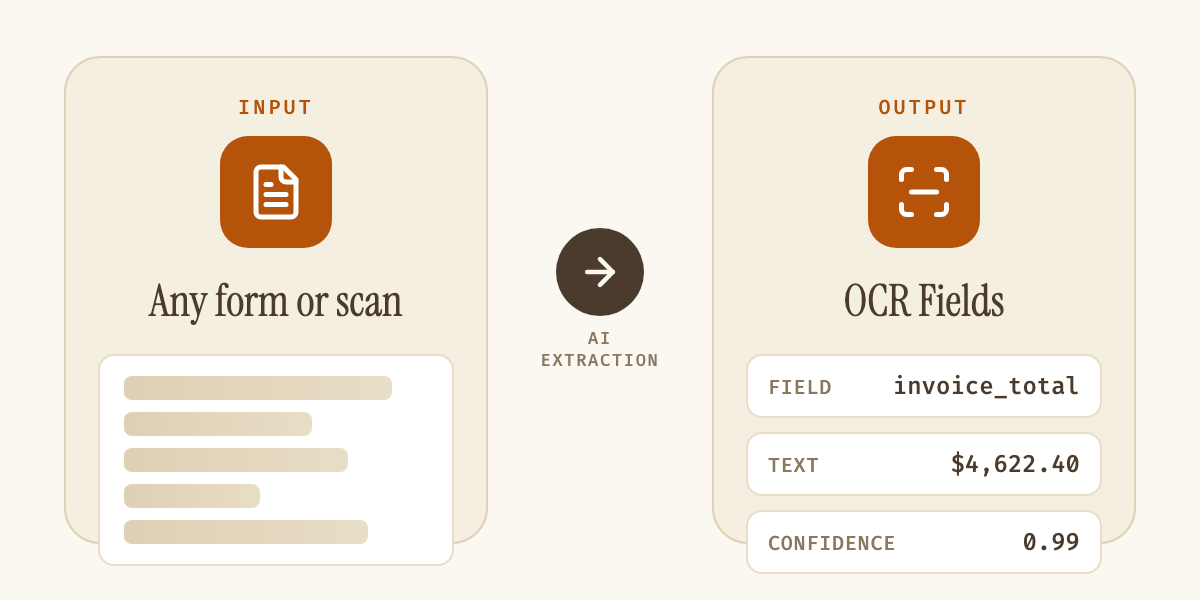
Plain OCR reads pixels into text. It can tell you a page contains "$4,622.40," not whether that number is the invoice total, a line item, or a discount. AI OCR software closes that gap: it pairs text recognition with a model that understands which text belongs to which field, so the output arrives as structured data instead of a wall of characters someone still has to parse.
| Capability | Traditional OCR | AI OCR (Axia Extract) |
|---|---|---|
| Reads characters into text | Yes | Yes |
| Understands which field is which | No | Yes |
| Works without a layout template | No | Yes |
| Reads legible handwriting | Rarely | Yes, 93.2% accuracy |
| Returns a confidence score per field | No | Yes |
That distinction matters most against template-based OCR, the older approach most "AI OCR" tools still run underneath the marketing. Template OCR reads a fixed zone on the page and breaks the moment a document's layout shifts, a new vendor, a redesigned form, a different issuer's ID. Axia Extract reads document structure directly, so the same schema keeps working across invoices, bank statements, and ID documents without a rebuild per layout. Our AI OCR software guide covers this distinction in more depth, including how to spot a template tool wearing an AI label.
Handwriting is where the gap shows up most. Axia Extract averages 93.2% accuracy on handwritten fields and 96.3% on dates, benchmarked on real-world documents and detailed on the accuracy page, a number most AI OCR software doesn't attempt to publish. Every extracted field returns its own confidence score, so a hard-to-read entry routes to review instead of getting accepted silently.
Whether the source is a typed invoice, a scanned archive, or a handwritten intake form, output exports to CSV, JSON, or Excel, or integrates directly through the REST API into an accounting, onboarding, or records system. The fastest way to judge any AI OCR software is to run it against a real document and see whether the fields come back right, not just the text.