Axia Extract vs Docparser.
Docparser is template-based OCR: build a parsing rule per layout, then rebuild it when that layout changes. Axia Extract is AI-based, reads document structure directly, and publishes its accuracy numbers openly.
Side by side
Template parsing vs. AI extraction.
| Docparser | Axia Extract | |
|---|---|---|
| Requires a template per layout | ||
| Reads new document formats automatically | ||
| Handwriting support | ||
| Confidence score per field | ||
| Pricing basis | Credits per doc (≤5 pages) | Credits per page |
| Published accuracy benchmark | ||
| REST API | ||
| Free trial | 14 days |
Docparser pricing and features per its public pricing page, checked September 2026. Docparser revises pricing periodically — confirm current rates before budgeting.
Benchmarked accuracy
98.2% field accuracy, published openly.
98.2%
Axia Extract — published SROIE2019 benchmark
Not published
Docparser — no public per-field benchmark
Benchmarked against SROIE2019, a public dataset of 347 real-world receipts. Docparser does not publish a comparable per-field benchmark.
See the full accuracy reportFAQ
Axia Extract vs Docparser, answered.
Is Docparser cheaper than Axia Extract?
Does Docparser need a template for every document layout?
Can Docparser read handwritten documents?
Does Docparser publish accuracy numbers?
Which one is easier to set up?
Skip the template rebuild.
Upload a real document and see it extracted without a parsing rule built first.
Choosing between Docparser and Axia Extract.
The real question isn't which tool is cheaper on paper, it's which one still works after your vendor list changes. Docparser is a solid choice if your document layouts are fixed and few, a handful of recurring suppliers whose invoices never change shape. But the moment a vendor redesigns their invoice or you onboard a new supplier, someone has to rebuild the parsing rule before data flows again.
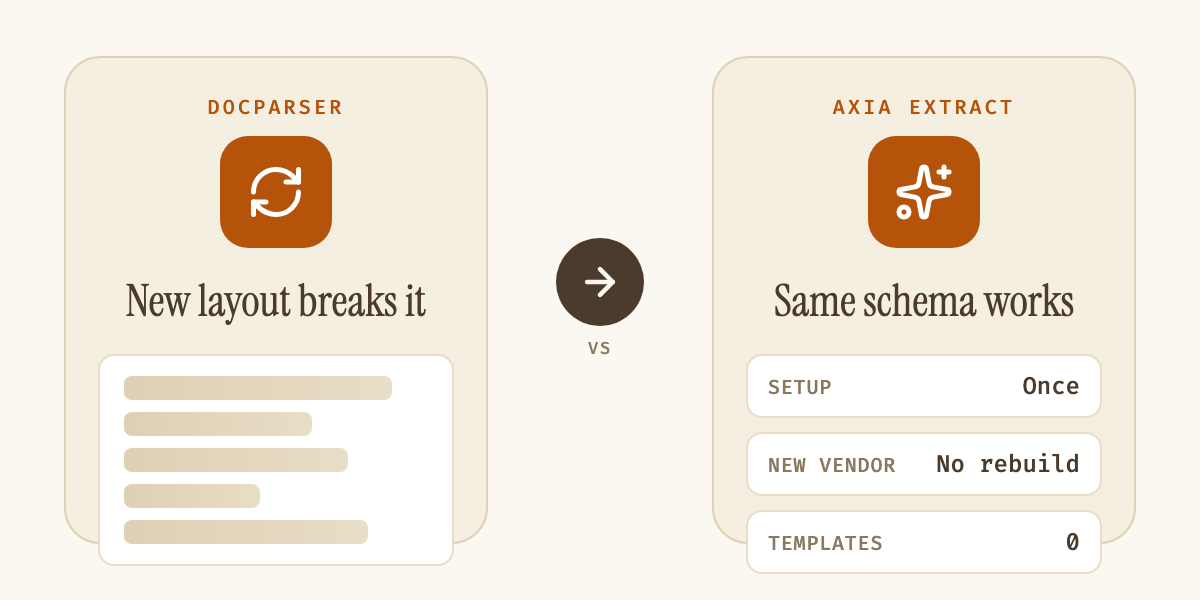
Axia Extract removes that dependency by reading documents with AI instead of a stored template, which matters most for teams whose document mix grows over time, not just invoices but receipts, bank statements, and claim forms with wildly different layouts. Our guide to traditional OCR vs AI OCR breaks down exactly why template-matching tools like Docparser hit a ceiling that schema-based extraction doesn't.
| Plan | Credits/mo | Billed monthly | Billed annually (per mo) |
|---|---|---|---|
| Starter | 100 | $39 | $32.50 |
| Professional | 250 | $74 | $61.50 |
| Business | 1,000 | $159 | $133 |
| Enterprise | Custom | Custom | Custom |
Docparser plan pricing per its public pricing page, checked September 2026. One credit covers one document up to 5 pages, so a mixed multi-page workload costs fewer credits per document than a stack of single-page receipts.
If you're currently maintaining Docparser templates and dreading the next layout change, migrating means defining the same fields once as a schema instead of a parsing rule, a one-time setup rather than an ongoing maintenance task. Pair that with invoice extraction software built specifically for accounts payable, or check the full credit pricing against your current per-document cost before deciding. Either way, the fastest way to know which tool fits is to run your own messiest documents through both and compare what comes back.