Traditional OCR reads characters from fixed zones you define. AI OCR uses trained models to find fields anywhere on the page. GenAI OCR reasons about the document the way a person skim-reading it would.
All three are sold under the same word, which is why buying decisions go sideways. They fail in completely different ways, and that difference matters more than any accuracy number on a pricing page.
Traditional OCR: shape matching
Classic OCR converts pixels into characters by matching glyph shapes against a known set. Tesseract is the familiar open-source example. On clean, typed, high-contrast text it is fast, cheap, and genuinely very good.
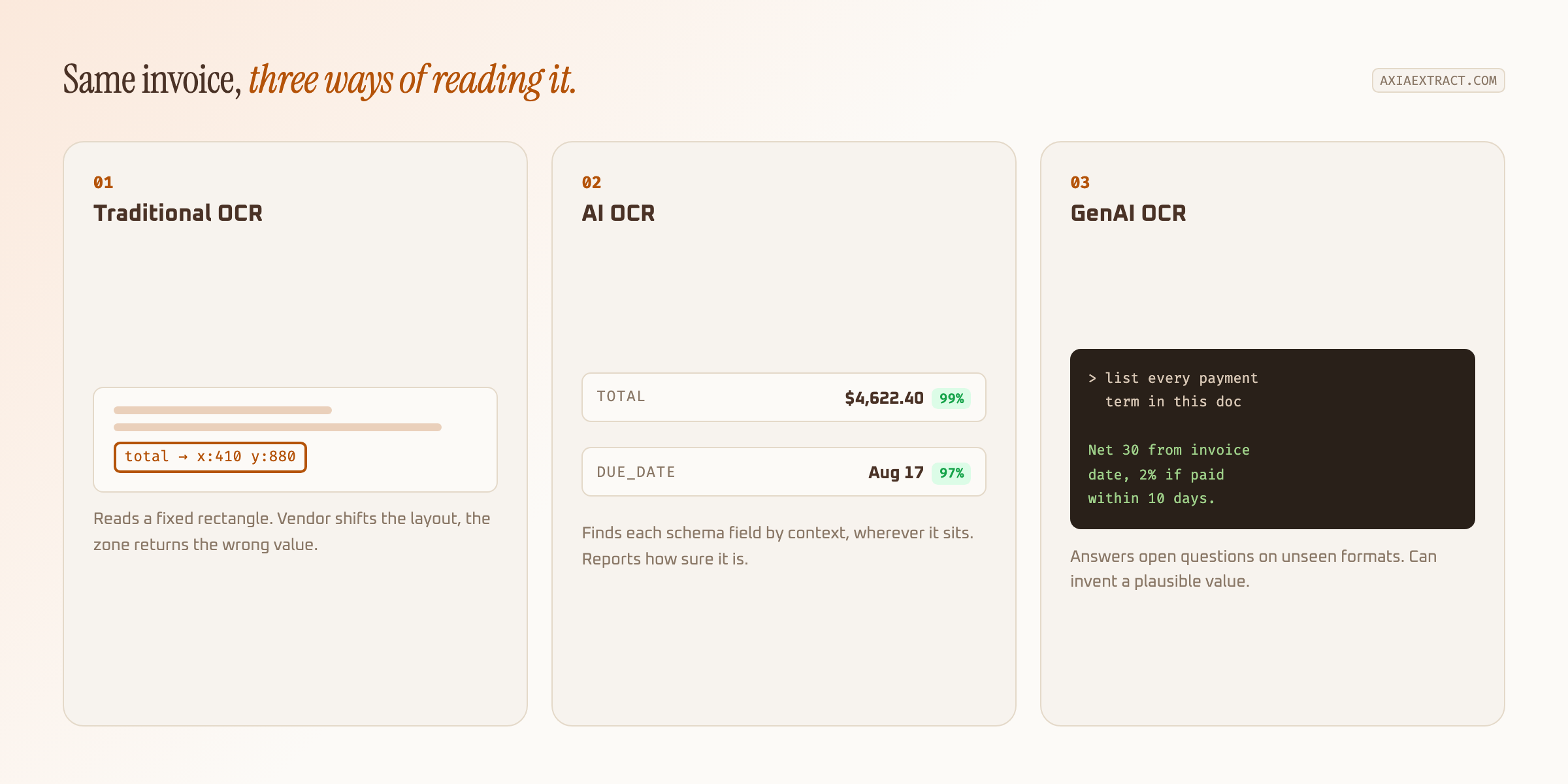
Layout is where it stops. Traditional OCR has no concept of an invoice total. It returns a wall of text plus coordinates, so you draw zones and say "the total lives in this rectangle". Move the rectangle's contents and the zone returns the wrong string or nothing at all.
That makes template OCR excellent for one unchanging form and painful for fifty suppliers who each format differently.
AI OCR: trained field understanding
AI OCR keeps the character recognition step and adds a model that decides what those characters represent. You define a schema (vendor, invoice number, total, due date) and the model locates each field by context rather than position.
Because it learns from labelled examples, it recognises that the number beside "Amount Due" is the total whether that label sits top-right on one invoice or bottom-left on another. New vendor, no new template.
The trade-off is scope. An AI OCR model performs well on document types resembling its training data and degrades on genuinely novel formats. It answers the question you defined in the schema, and nothing else.
GenAI OCR: reasoning over the page
GenAI OCR sends the document to a large multimodal model and asks for the answer in plain language. No schema training required. You can request "every payment term mentioned in this contract" and get a sensible reply on a document type the system has never encountered.
That flexibility is real, and so are the costs. Generative passes run slower and price per page runs higher, which shows up quickly at ten thousand documents a month.
The sharper risk is hallucination. Ask a generative model for an invoice total and it will usually give you one, even when the figure is smudged beyond reading. Traditional OCR returns garbage you can spot. A generative model returns a plausible, well-formatted, entirely invented number.
Template OCR fails loudly and obviously. AI OCR fails with a low confidence score you can route for review. GenAI OCR can fail silently and convincingly, which is the hardest kind to catch downstream.
Side by side
| Traditional OCR | AI OCR | GenAI OCR | |
|---|---|---|---|
| Setup | Zone template per layout | Schema, once | Plain-language prompt |
| New layout | Breaks | Handles it | Handles it |
| Speed | Fastest | Fast | Slowest |
| Cost per page | Lowest | Moderate | Highest |
| Handwriting | Poor | Good on legible | Good on legible |
| Main risk | Silent zone drift | Novel formats | Hallucinated values |
Which one your documents need
If every document arrives in one format from one system, use traditional OCR. It is cheaper and faster, and the flexibility you would pay for adds nothing.
If documents arrive in many layouts but the fields you want stay consistent, AI OCR fits. This covers most invoice, receipt, and form processing. Axia Extract sits here, and we publish per-field results rather than one blended figure: 98.2% average on the SROIE2019 receipt dataset, 99.9% on financial totals, 93.2% on handwritten names. The full accuracy evaluation shows the schemas behind those numbers.
If you need free-form understanding of documents you cannot anticipate, like pulling obligations out of contracts, generative approaches earn their cost. Just validate the output, because a confident wrong answer is worse than an obvious blank.
Run the volume maths before you decide
Per-page pricing looks trivial until you multiply it. At 20,000 pages a month, a cent of difference per page is $200. A generative pass costing several cents more lands closer to $1,000, every month, for capability you may only need on 5% of documents.
Count the human hours on the other side too. A template system with a low licence fee that needs someone rebuilding zones two days a month is not cheap. That maintenance is the real cost, and it never appears on the quote.
The useful comparison is total cost per correctly extracted document, including review time. A tool with 94% accuracy and no confidence scores forces you to check everything. One at 98% that flags its own uncertain fields lets you check the 4% that deserve it, which usually wins even at a higher sticker price.
Most real systems blend them
The three are layers more than rivals. Character recognition handles the pixels. A trained model maps characters to schema fields. A generative pass picks up the exceptions that fall outside the schema.
Judge any of them the same way. Feed your worst documents in, look at per-field accuracy instead of a single average, and check whether the system tells you how sure it is. A tool that reports its own uncertainty is worth more than one claiming a number it cannot defend.
For the mechanics of the middle layer, our guide to AI data extraction covers schema design and confidence scoring. If invoices are the immediate problem, the invoice extraction software breakdown goes deeper on that specific workflow.